CustomJS and Dataview API demo
This is a very simple demo of CustomJS and Dataview plugin.
- I use CustomJS to fetch data from
- Weather API
https://www.weather.gov/documentation/services-web-api - HackersNews API
https://hacker-news.firebaseio.com/v0/topstories.json
- Weather API
- Dataview to display the data inside note. (I usually place this inside banner dashboard so I see it first thing in the morning)
- CustomJS code used in demo can be found in Github
You might need some programming knowledge to get this working or just modify this demo project to your need. I will try my best to explain every single detail so you can create your own customJS script.
At anytime you having issue with javascript, use Ctrl + Shift + i to open the developer console and see if you can track the error.
Also there is a chance you need to restart your obsidian vault for plugin things to work properly the first time, try restarting if something weird is happening
Dataview
You need to install the plugin but I leave everything as default
CustomJS setup
You can specify to the parent folder of your scripts, all my scripts are inside __data__/javascript and I only have to specify to __data__ folder

Weather
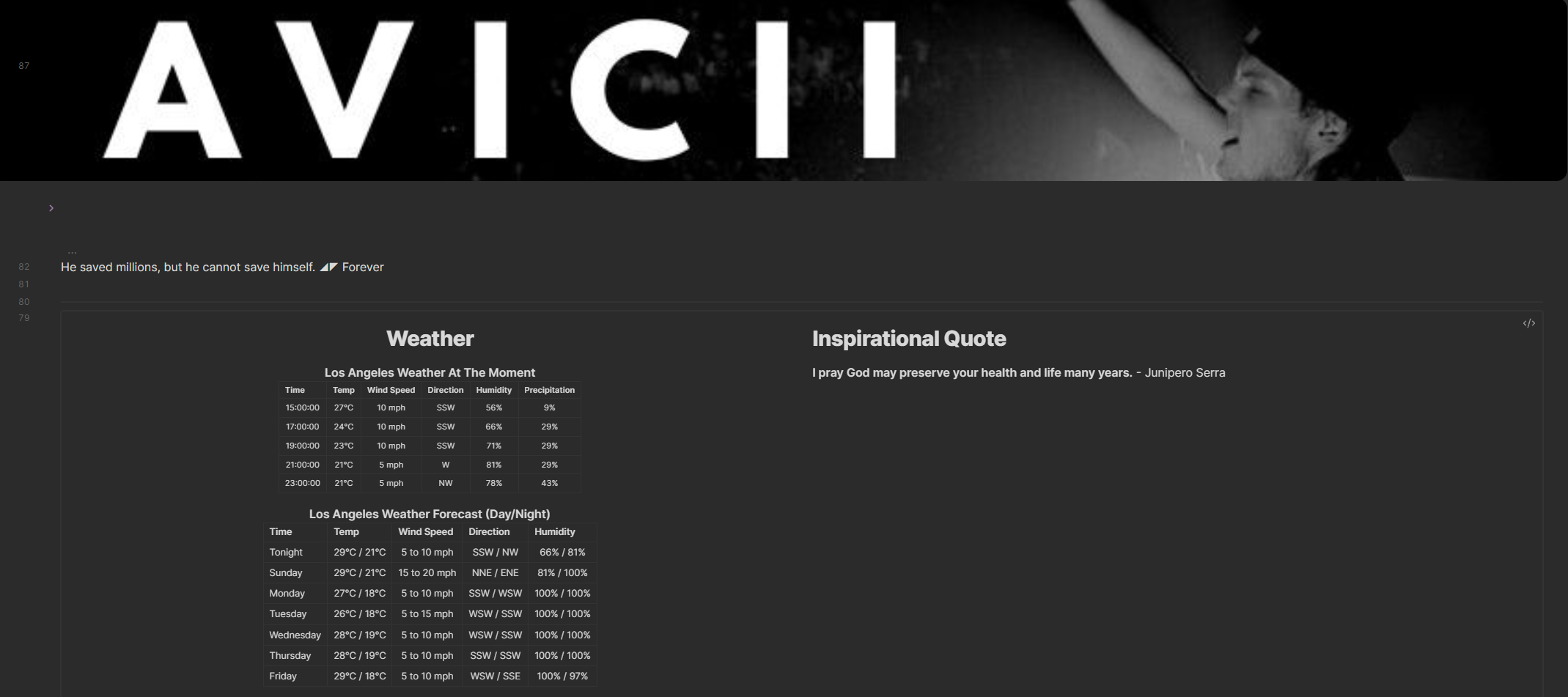
In the notes where you want to display the content add the following:
- Import the class using
const {WeatherGov} = customJS;. ThisWeatherGovis the same name as your javascript file’s class name. - Create a new div container in your note page to hold the data
- Call the class function
.getWeather(element)and wait for asynchronous function to finish- Passing in the div container so it can be modify by javascript functions
- Asynchronous function are function that process in the background, so this fetching process (if very long) will not block your UI from freezing/waiting on the request to finish
Code
Just read the code, it got comment on every line
const {WeatherGov} = customJS;
let element = this.container.createEl('div', {cls: ["tailwind"]});
await WeatherGov.getWeather(element)
Hacker News
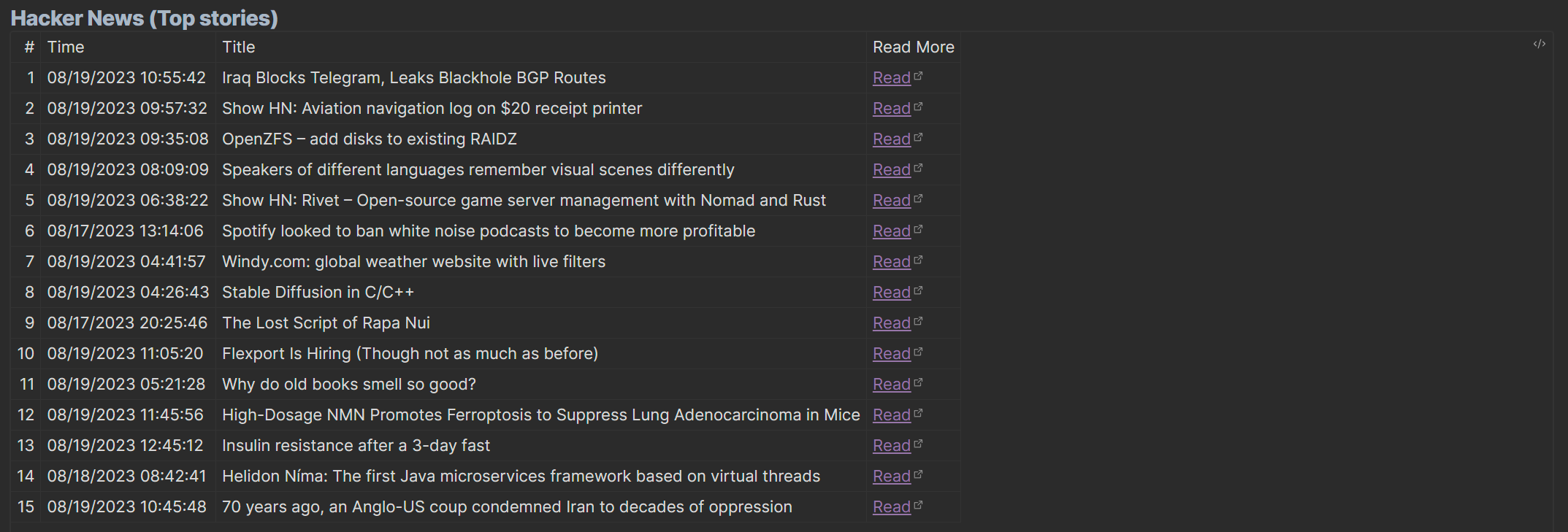
In the notes where you want to display the content add the following:
- Import the class using
const {News} = customJS;. ThisNewris the same name as your javascript file’s class name. - Create a new div container in your note page to hold the data
- Call the class function
.getNews(element)and wait for asynchronous function to finish- Passing in the div container so it can be modify by javascript functions
- Asynchronous function are function that process in the background, so this fetching process (if very long) will not block your UI from freezing/waiting on the request to finish
Code
Just read the code, it got comment on every line
const {News} = customJS;
let element = this.container.createEl('div', {cls: ["tailwind"]});
await News.listNews(element, 15);